Stop second-guessing your soap.
Safe lye amounts you can trust, with guidance that helps you make better soap.
Whether it's your first batch or your hundredth, you're in the right place.

Start free. No credit card required.
Still the simplest soap calculator. Just does more thinking for you.

A soap calculator and lye calculator that shows you what your recipe will do — trace speed, unmold time, cure length — before you make your batch. Calculate NaOH or KOH for cold process, hot process, or liquid soap. Import recipes from photos or start from scratch.
Know if your recipe will move fast or give you time to work.
See when your soap will be ready — hours or days, not guesswork.
Know whether to expect gel — and plan for it.
Understand how long it needs before it's at its best.
Built on real soapmaking chemistry — the same math trusted by experienced makers.
Don't start from scratch.
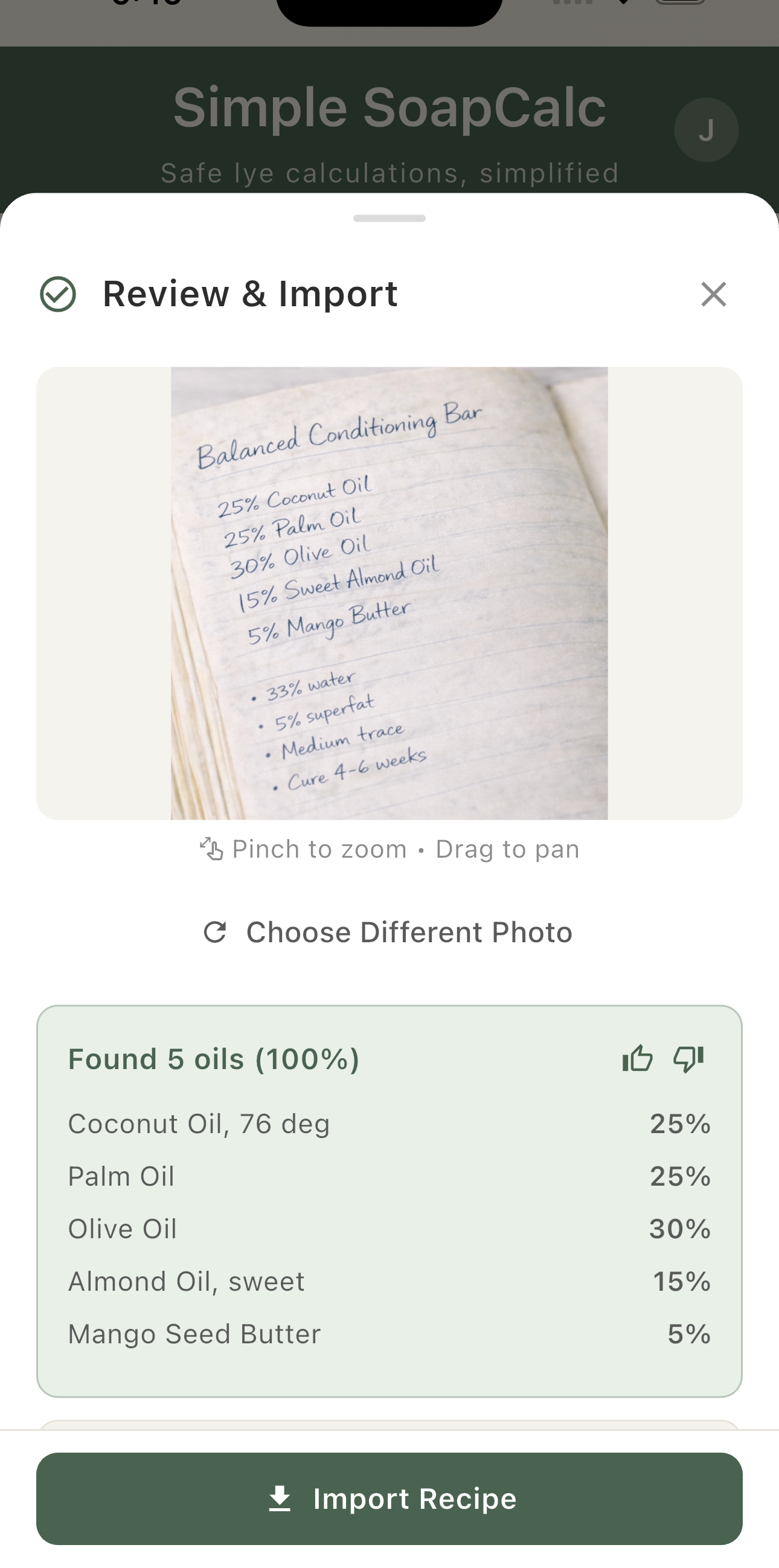
Snap a photo. Skip the typing.
Snap a photo or grab a screenshot — recipe books, YouTube videos, Facebook posts, handwritten notes. The app reads it, you confirm.
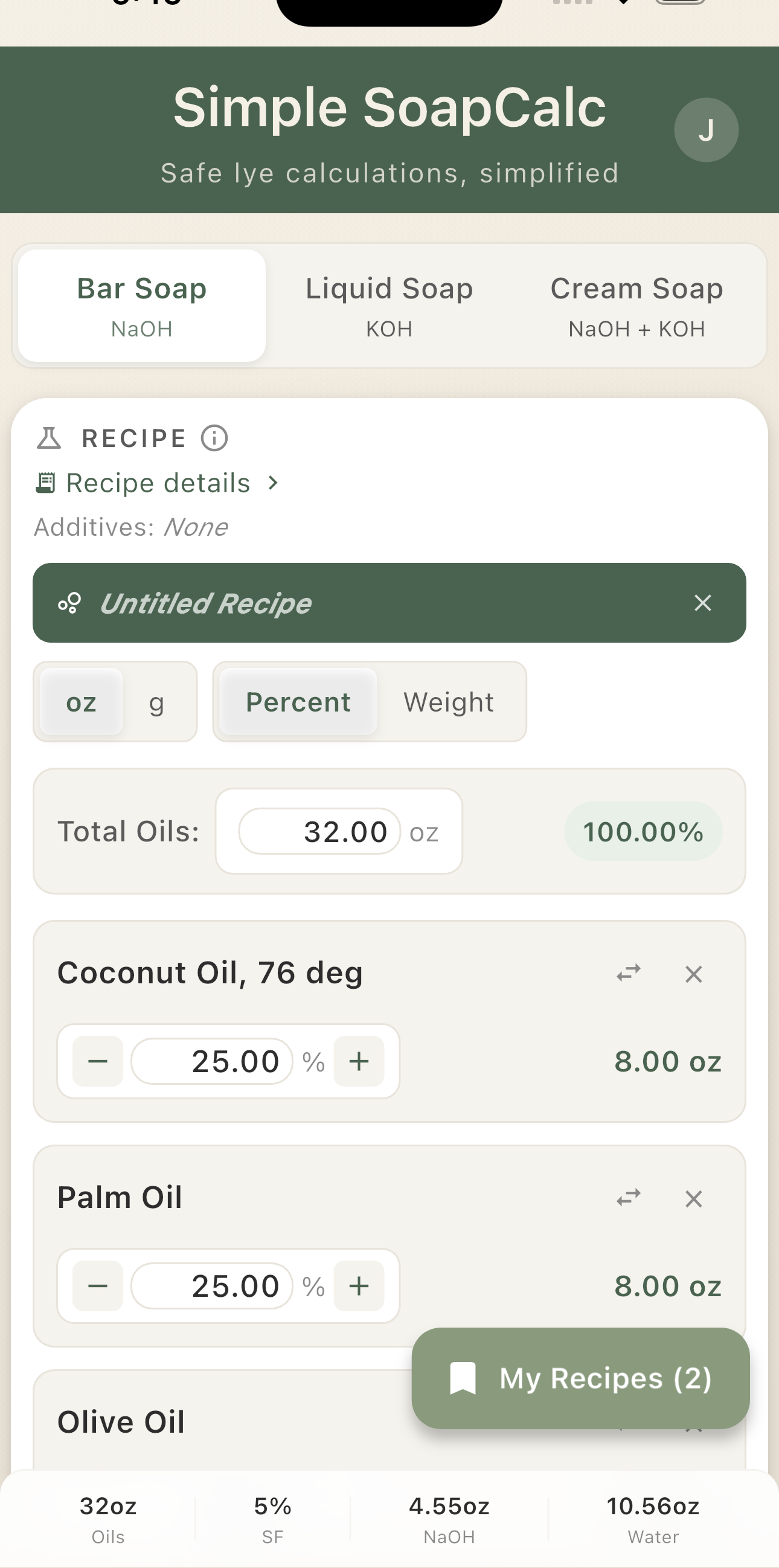
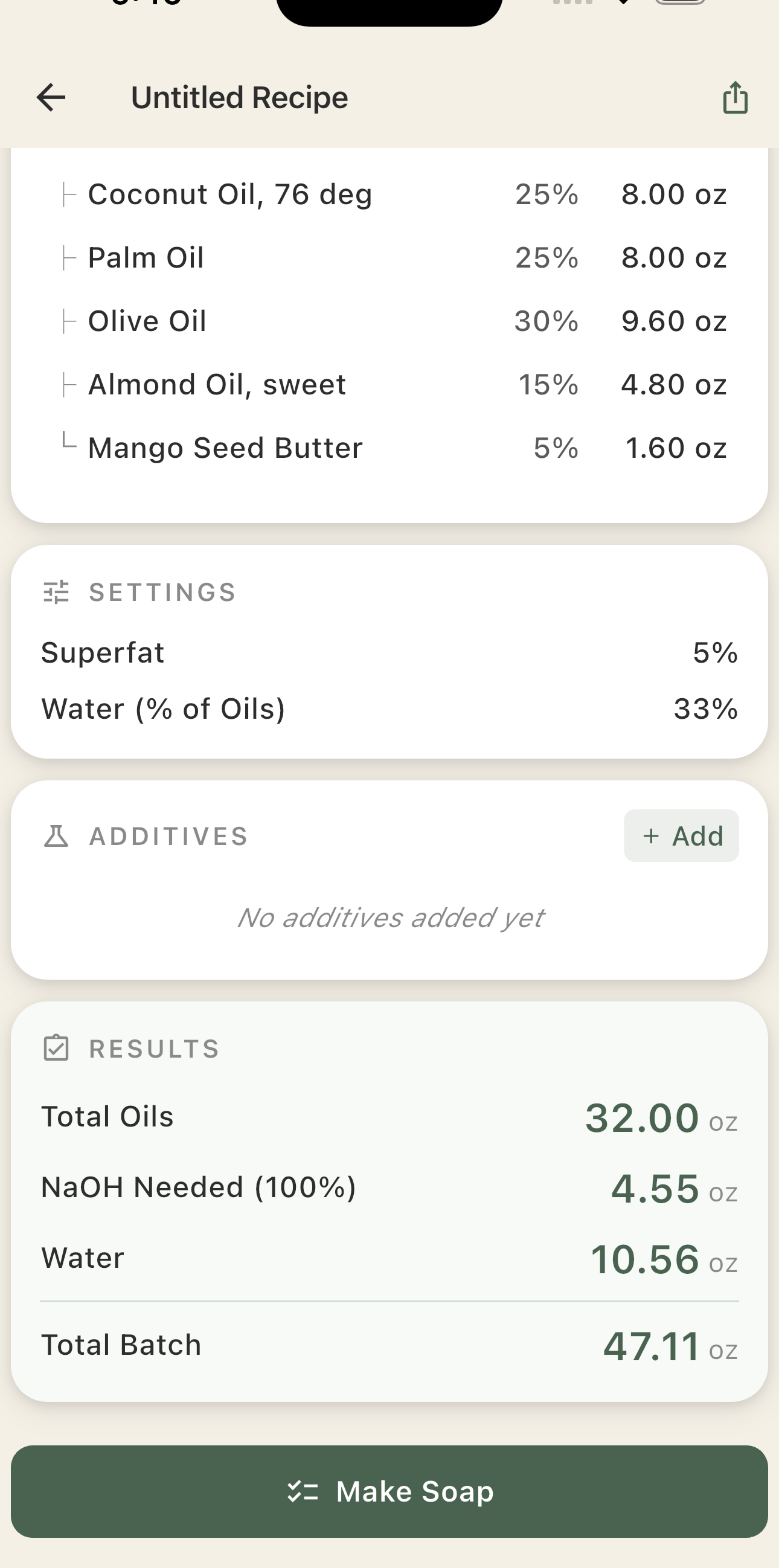
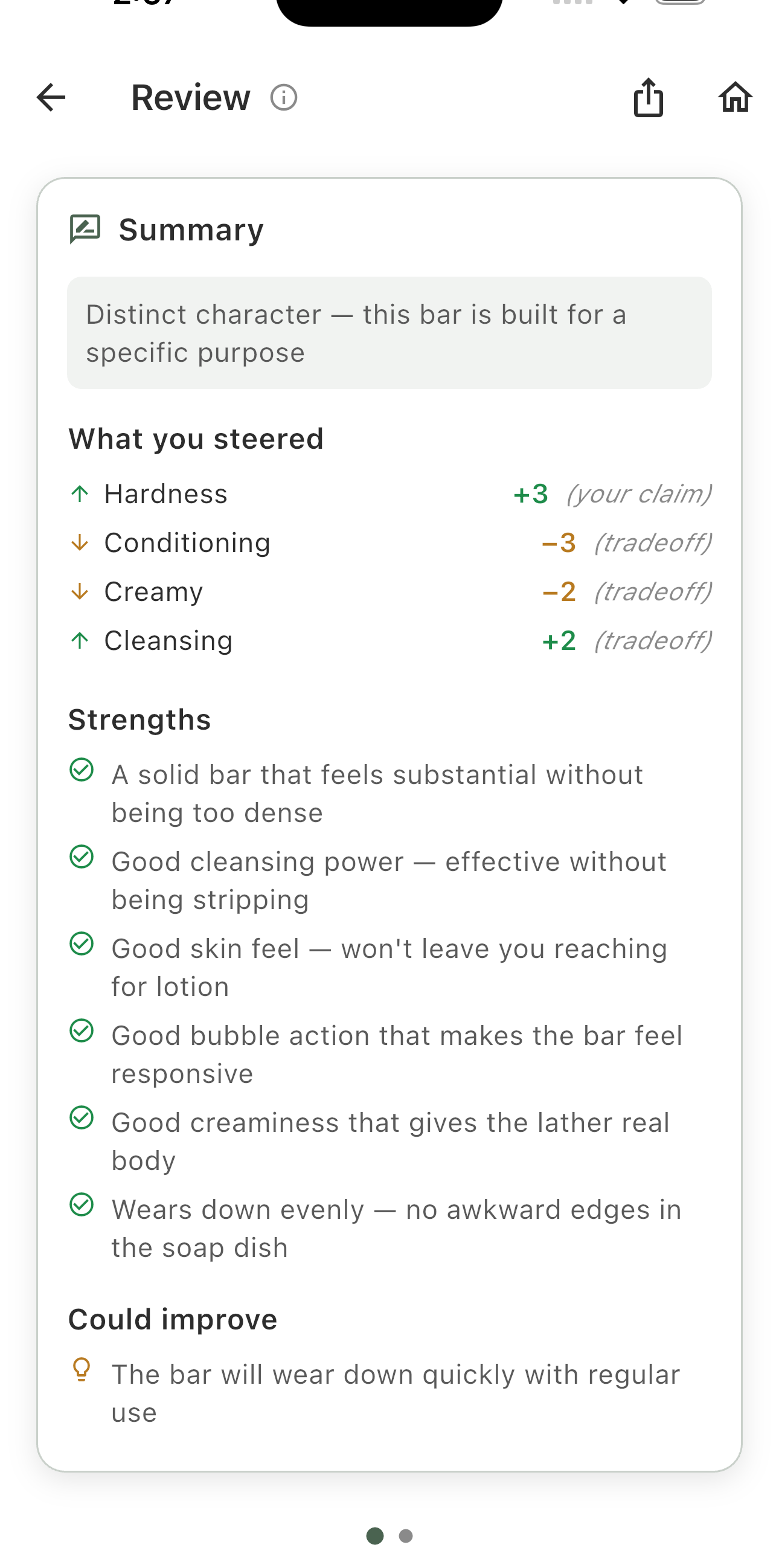
You've got your recipe — now make it better.
Already have a recipe?
See how to make it better.
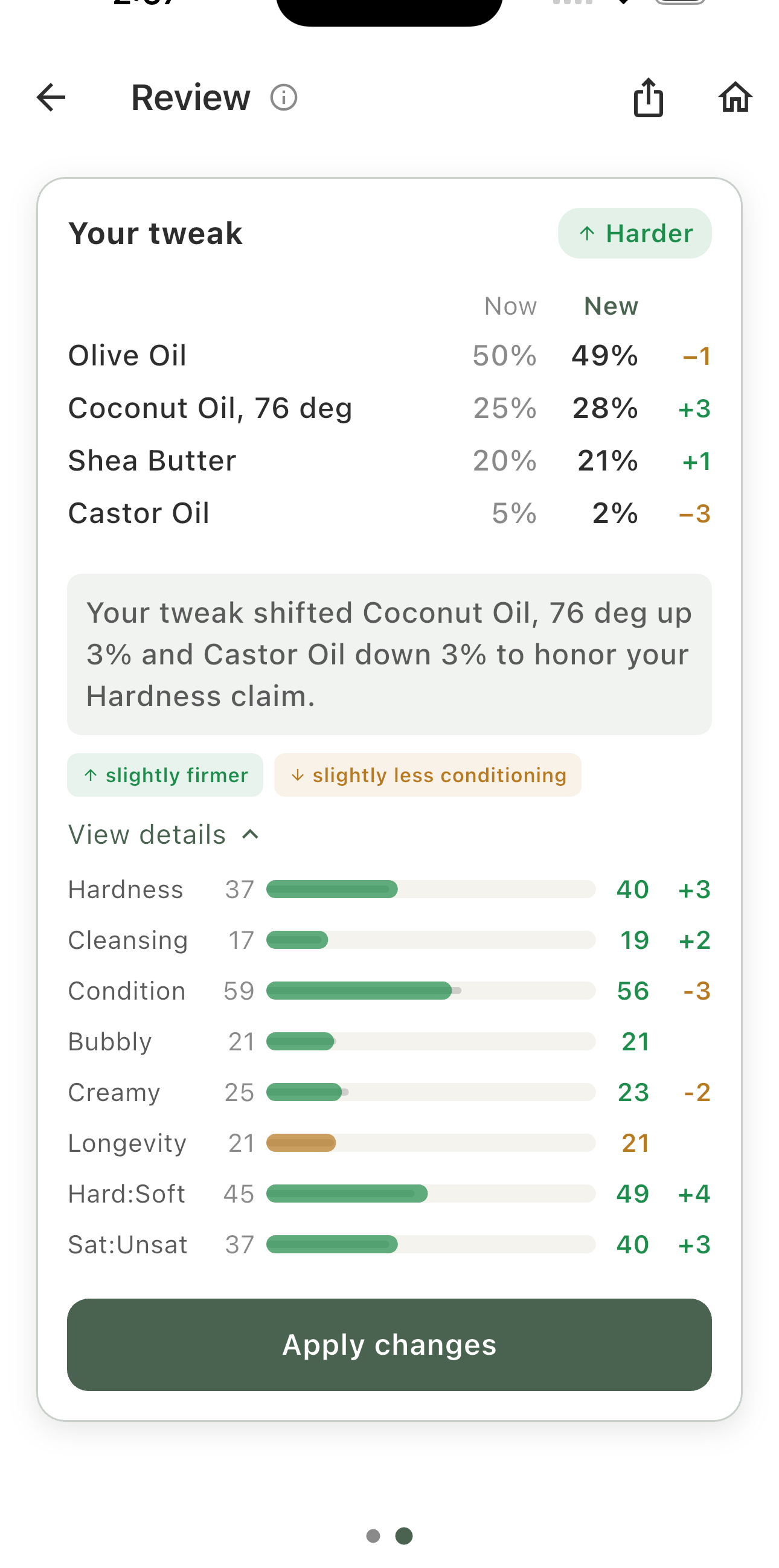
Every suggestion adds up. Your original recipe is always preserved.
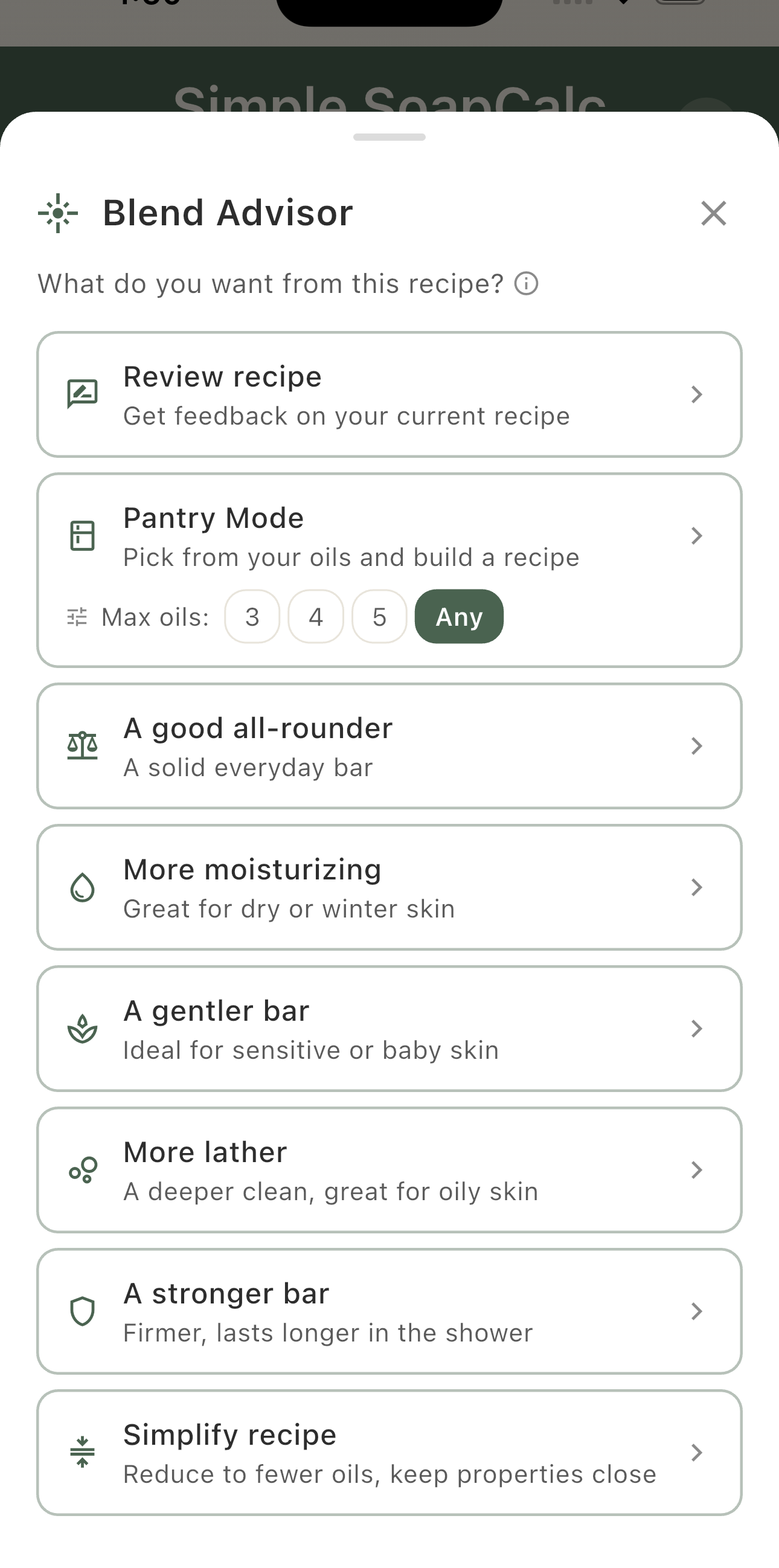
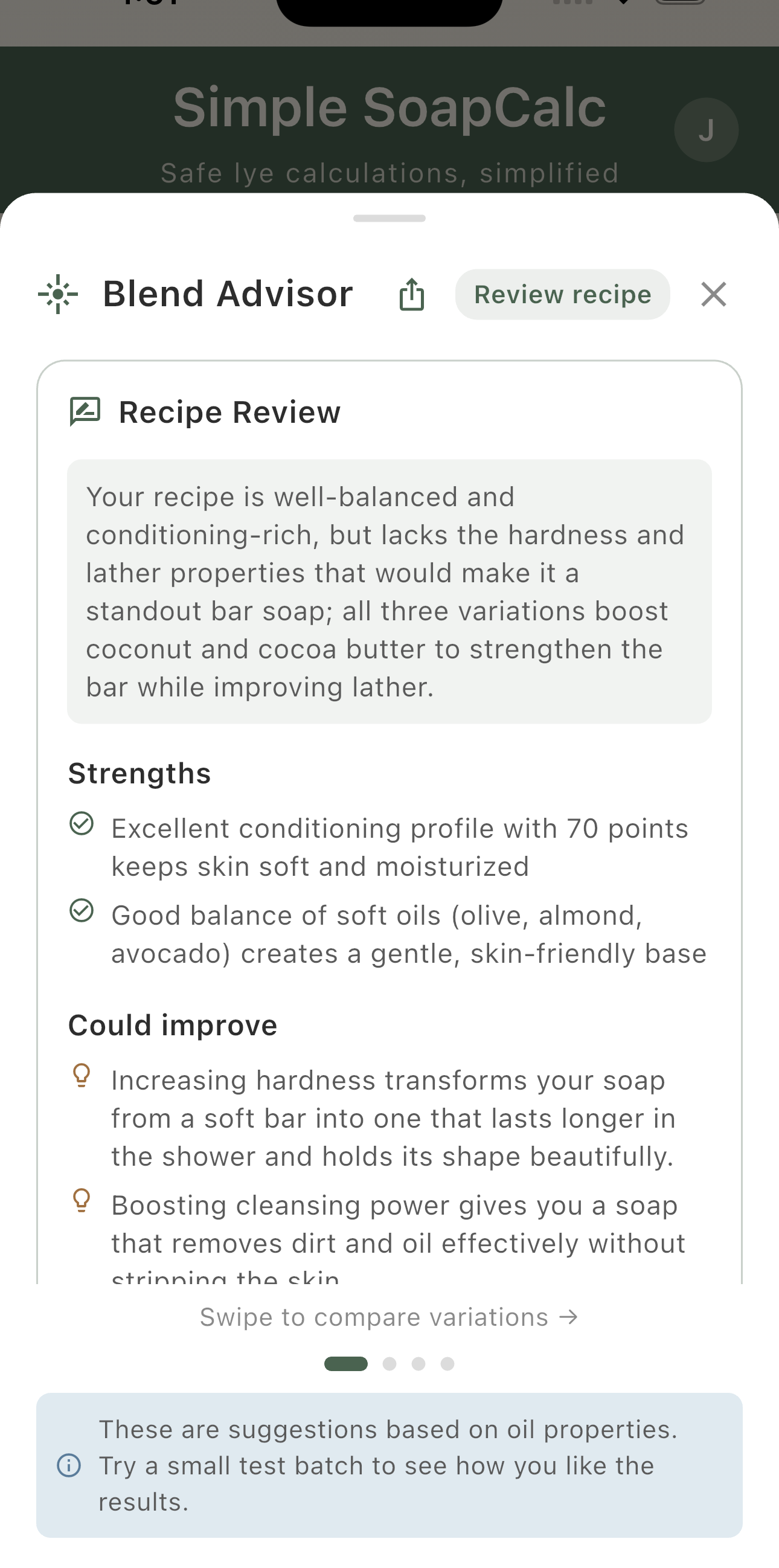
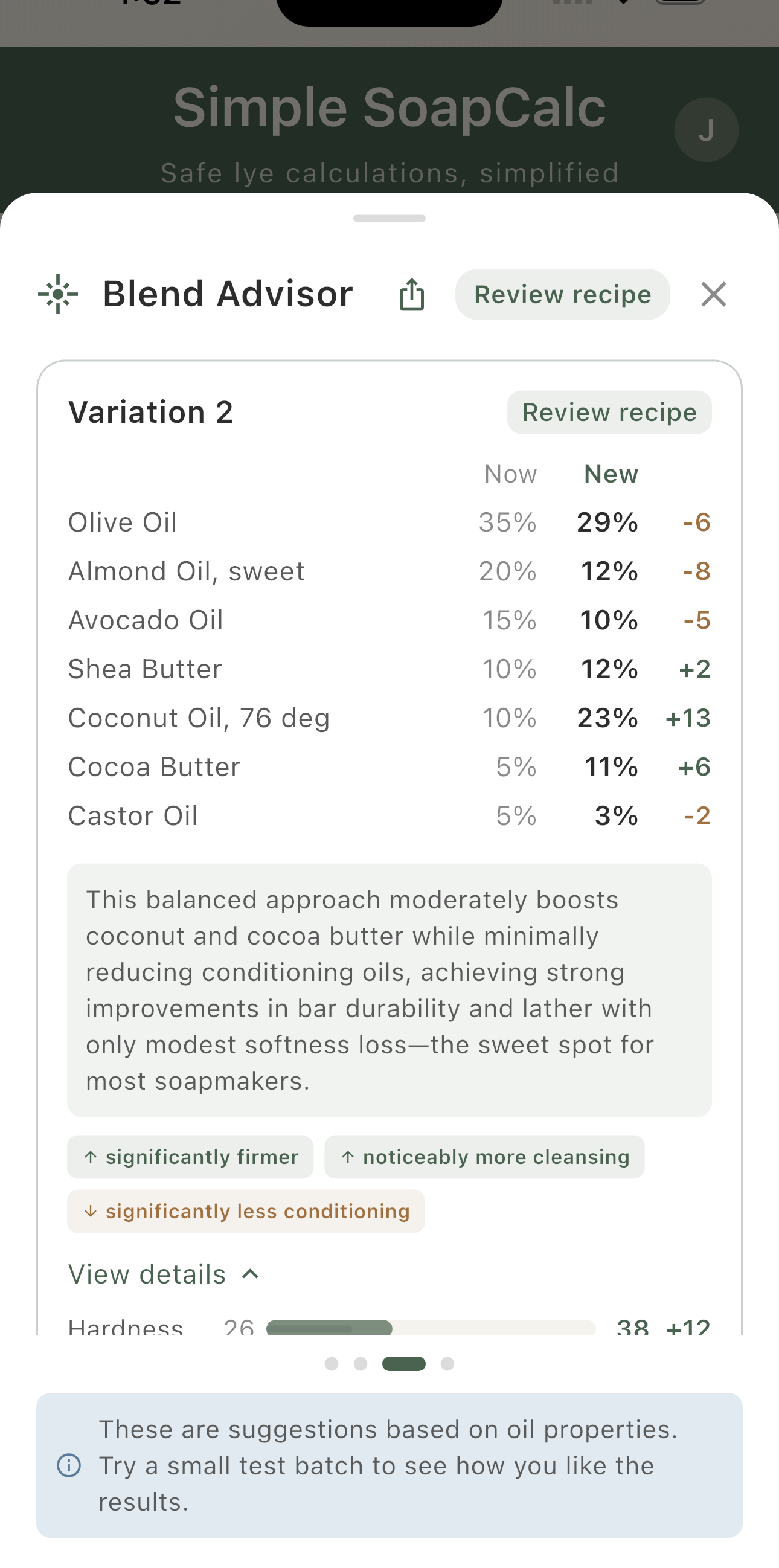
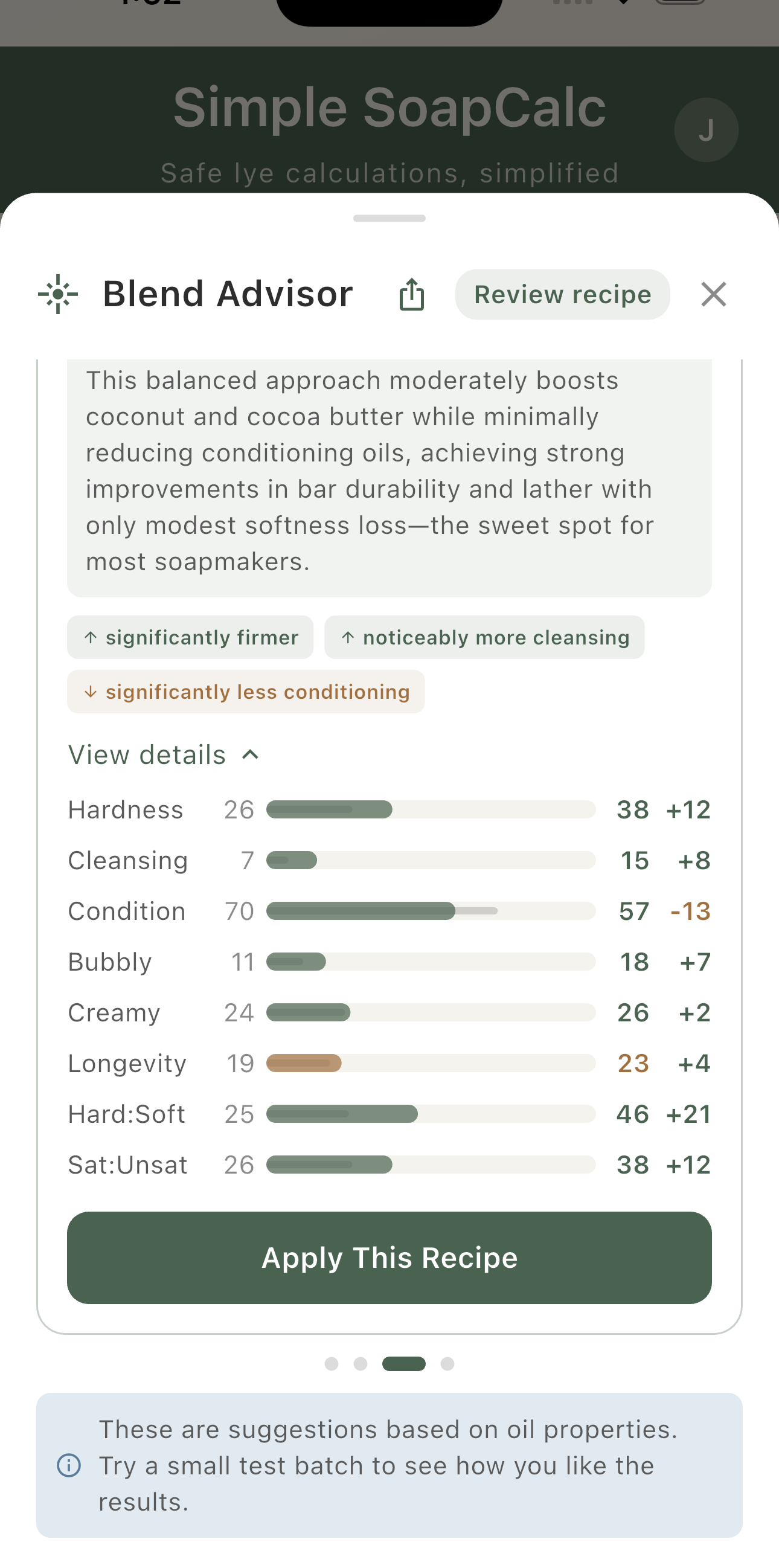
Or make the changes yourself.
Want more control?
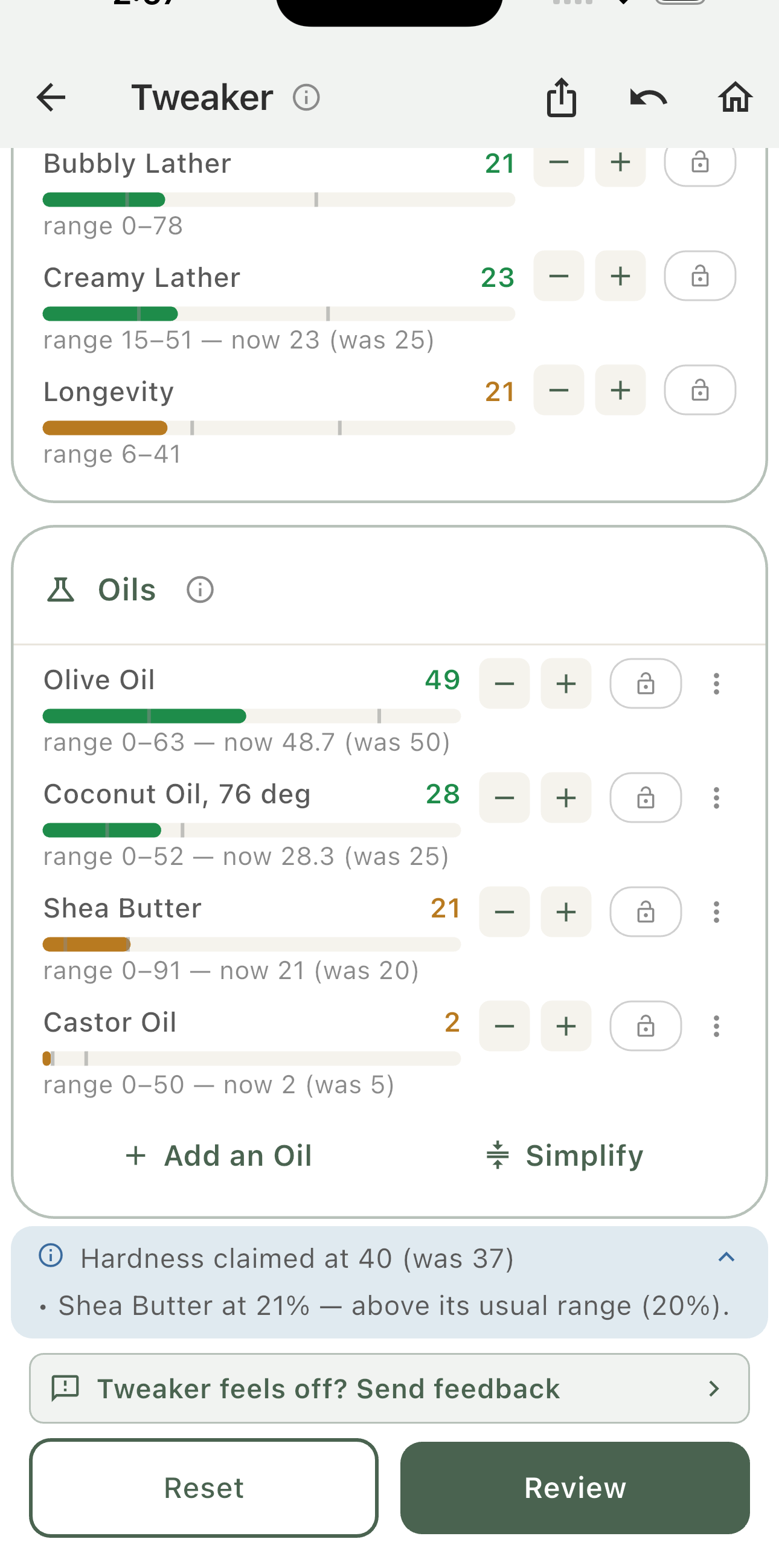
Change one thing. See what else moves.
Tap + or − on any property and the oils rebalance to match. Your recipe doesn't change until you say so.
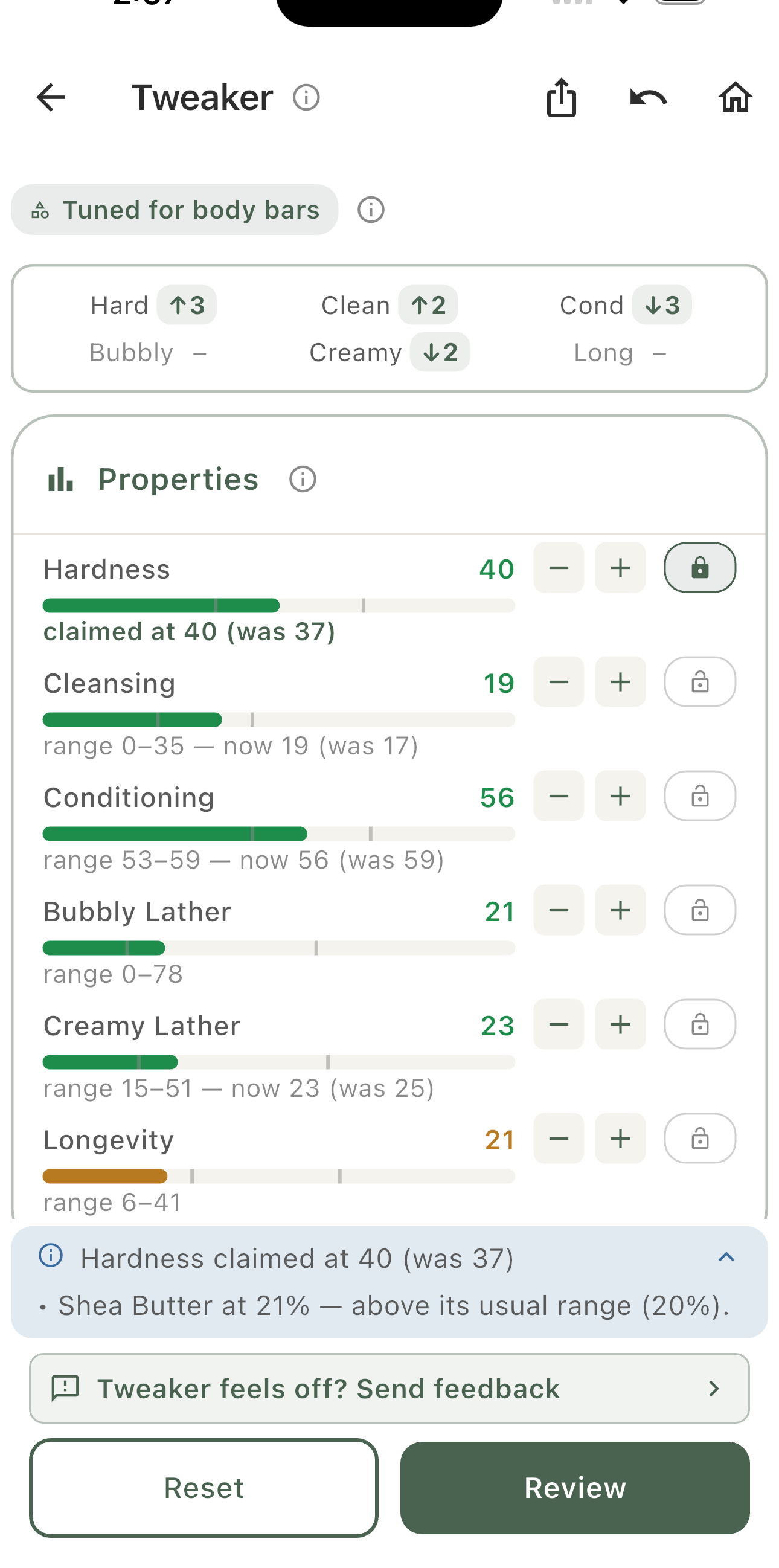
Try it with your own recipe.
New
The first soapmaking calculator you can use right inside ChatGPT.
Same trusted calculations. Different interface.
Sometimes you're not ready to punch in numbers — you're still figuring out what you want to make. Using Simple SoapCalc inside ChatGPT lets you talk through a recipe idea in plain language — using the same trusted calculator — before committing to numbers.
When you're ready to make soap, save the recipe and it syncs to the mobile app (requires Simple SoapCalc Pro). Same calculations. Same safety. Just a different way to start.
See how it all fits together.
Whether you're just starting or refining your process, this meets you where you are.
Bring it in instantly.
Scan or paste any recipe and get it ready to work with. No typing, no guesswork.
Understand your recipe.
See how each oil shapes your bar, from lather to hardness to feel on skin.
Make smarter adjustments.
Get suggestions that improve your recipe without throwing it off balance.
Swap with confidence.
Replace an oil and see exactly how it changes your recipe before you commit.
Stay on track as you make it.
Follow your recipe step by step with clear guidance while you're at the table.
Figure out what happened.
Diagnose issues based on your actual recipe and learn how to avoid them next time.
A soap calculator tells you exactly how much lye you need to turn oils into soap — safely. Every oil requires a different amount of lye, so guessing isn't an option. You enter your oils and the calculator does the math.
Each oil has a SAP value — a number that determines how much lye it needs. A soap calculator uses those values along with your batch size and superfat level to give you the right amount. Simple SoapCalc does this automatically.
Superfat is the percentage of oils left over after saponification — oils that don't turn into soap. A higher superfat makes a gentler, more moisturizing bar. Most soap calculators default to 5%, which is a safe starting point.
NaOH (sodium hydroxide) makes solid bar soap. KOH (potassium hydroxide) makes liquid soap. They require different amounts of lye for the same oils, so your soap calculator needs to know which one you're using.
Yes. A soap calculator that supports KOH can handle liquid soap recipes. Simple SoapCalc supports NaOH, KOH, and dual-lye blends.
All soap calculators use published SAP values, so the process is the same — but SAP values can vary slightly by source, so numbers between calculators may not match exactly. The difference is small and safe. Beyond the math, what separates calculators is what happens after — whether you can see how your recipe will behave, get improvement suggestions, or import recipes without retyping them.
Prefer to calculate right in your browser? Open the free web soap calculator →
"I built Simple SoapCalc as a lye calculator that was simple to use, but still powerful.
— James, Soapmaker & Developer
Then I started noticing the same questions everywhere — especially in soapmaking groups:
Is this recipe good? What can I use instead? I have these oils — what can I make?
Which oils trace fast? Why did this batch turn out like this?
And the answers were all over the place — incomplete, hard to piece together.
I watched someone think they ruined a batch because their soap was still soft after a day — when it just needed more time.
That's when it clicked — the app already had the data to answer these questions. It just wasn't showing it.
So I updated it. Now it shows you what your recipe will do — and helps you understand it, fix it, and make it better.
Whether it's your first batch or your hundredth."
Yes. The calculator, lye and water calculations, recipe properties, predictions, oil profiles, and fragrance calculator are all free. Pro unlocks advanced tools like Blend Advisor, photo import, and unlimited recipes — but you can make great soap without it.
Yes. You can cancel from your App Store or Google Play settings. No questions, no hoops.
Your recipes stay on your device. You keep everything you've created — you just lose access to Pro features like Blend Advisor, photo import, and cloud sync. If you have more than 3 saved recipes, they're still there — you just can't add new ones until you're back under the limit or resubscribe. You can also back up all your recipes anytime from Settings.
Yes. The app starts you with safe values and shows you what to expect from your recipe — like trace speed, unmold time, and cure length. You don't need to understand every detail to make safe soap. The app handles the math and shows you what matters as you go.
Absolutely. Many soapmakers use Simple SoapCalc as a second opinion or a faster way to check recipes. Results may vary slightly between calculators since SAP values can differ by source, but the numbers will be close to what you're used to.
Yes. Calculations, predictions, and saved recipes all work without internet — so you can use it right at your workspace, not just at your desk.
Switching from SoapCalc.net? See how Simple SoapCalc compares →
Best for: Instant soap calculations
Free
Best for: Learning & experimenting
Free with sign-in
No password needed
Best for: Regular soapmakers
$2.99/mo
or $19.99/year (save 44%)
Cancel anytime. Your recipes stay yours.
Whether it's your first batch or your hundredth.
